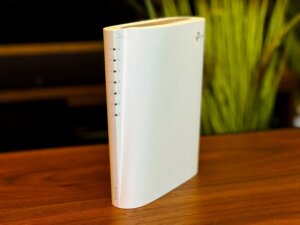
Hello, I’m Itsuki (@saigalog), and there’s not a single day I don’t use Wi-Fi.
Recently, more people have started working from home, and when it comes to internet connections, they have become one of the essential infrastructures, just like electricity, gas, and water.
Wireless LAN (Wi-Fi) in particular is indispensable for modern life, and we all want to make our home environment as comfortable as possible.
The “Deco X50” from TP-Link, which I’m reviewing this time, is a Wi-Fi 6 router that lets you build a mesh Wi-Fi environment with easy setup.
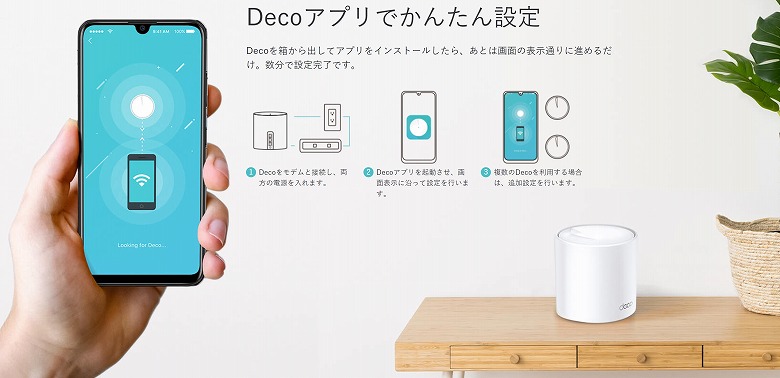
Simply connect it to your ONU and follow the on-screen instructions in the dedicated smartphone app.
If you want to expand your Wi-Fi coverage, just add another “Deco X50” unit and register it through the app to easily set up your mesh Wi-Fi environment.
Positioned right between the company’s “Deco X20” and “Deco X60” in terms of specs, one of the biggest strengths of the “Deco X50” is that the previously limited number of LAN ports has been increased to three.
In this article, I’ll thoroughly review the convenient and comfortable Wi-Fi 6 router “Deco X50,” including speed tests and comparisons with previous models!
What Is Mesh Wi-Fi?
“Mesh” means a network of interconnected nodes, in other words, spreading Wi-Fi (wireless LAN) in a web-like pattern.
Mesh Wi-Fi solves common wireless LAN weaknesses such as “signal weakening due to distance or obstacles” and “performance drops when multiple devices are connected.”
This article was created with a product provided by the manufacturer.
Table of Contents
What’s Included with the Deco X50
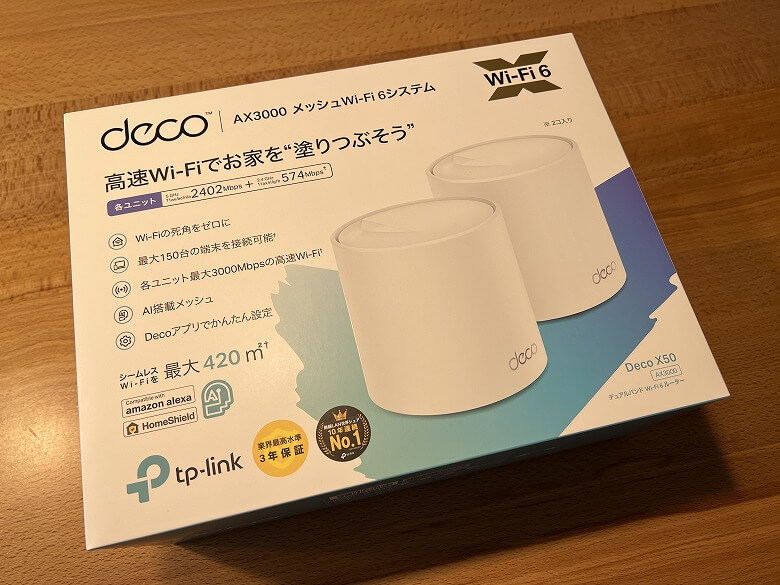
The outer box of the “Deco X50” features a simple design with a white and blue color scheme.
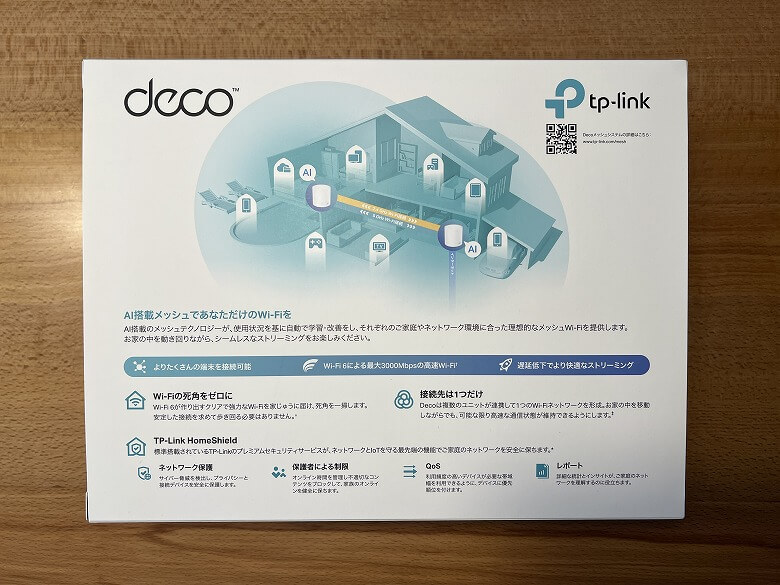
The back side also features product graphics and descriptions of its functions, making it very easy to understand.
The following items are included in the box.
What’s Included with the Deco X50
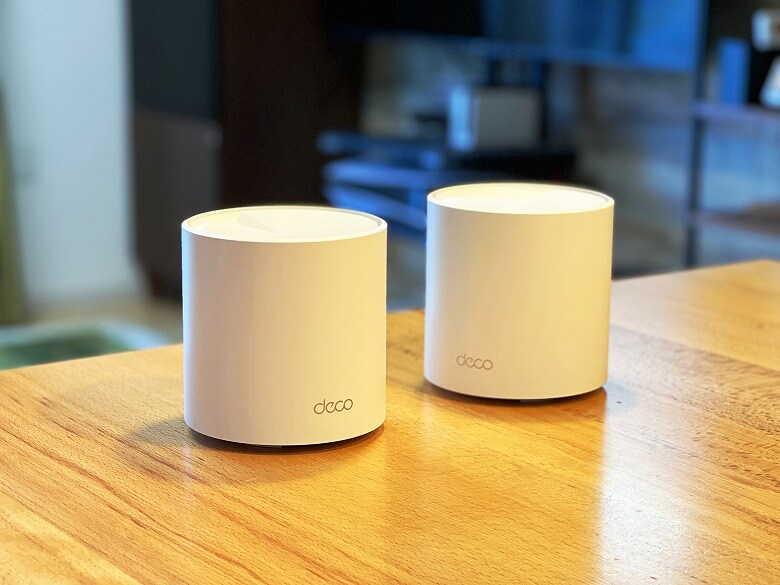
Router unit × 2
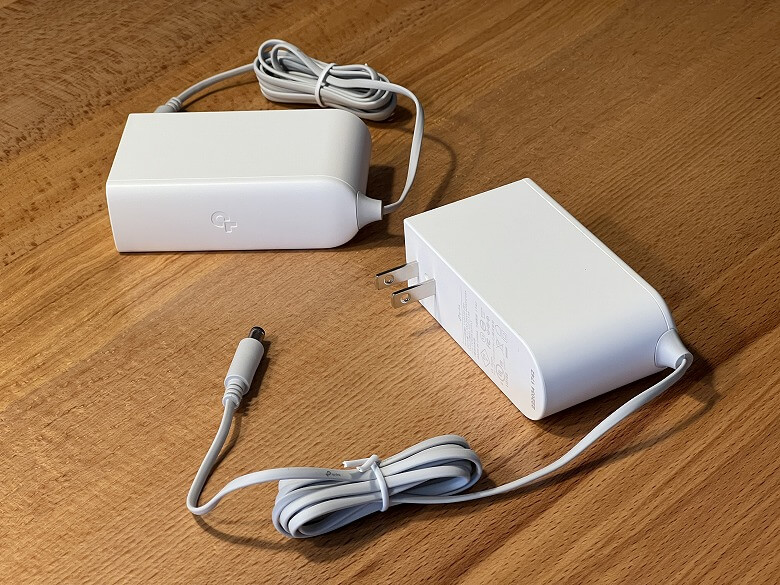
Power adapter × 2
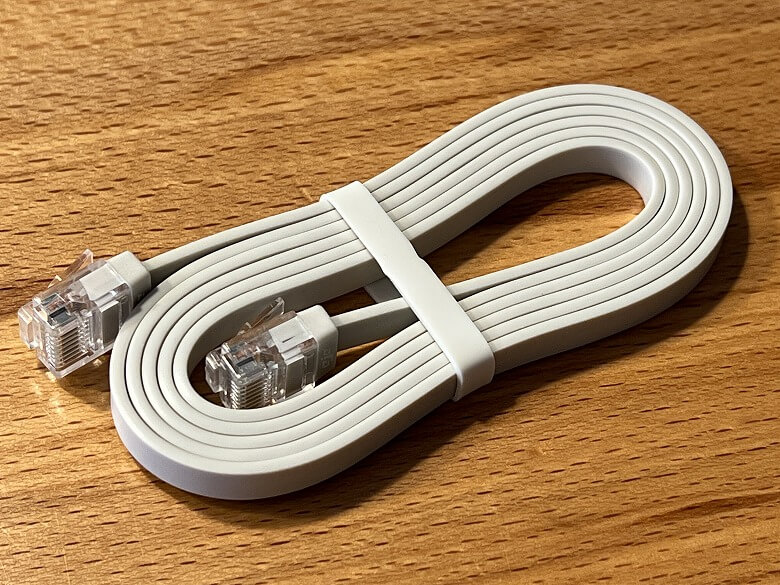
LAN cable
Quick setup guide
The included LAN cable is approximately 170 cm long.
The power adapter cable is approximately 150 cm long.
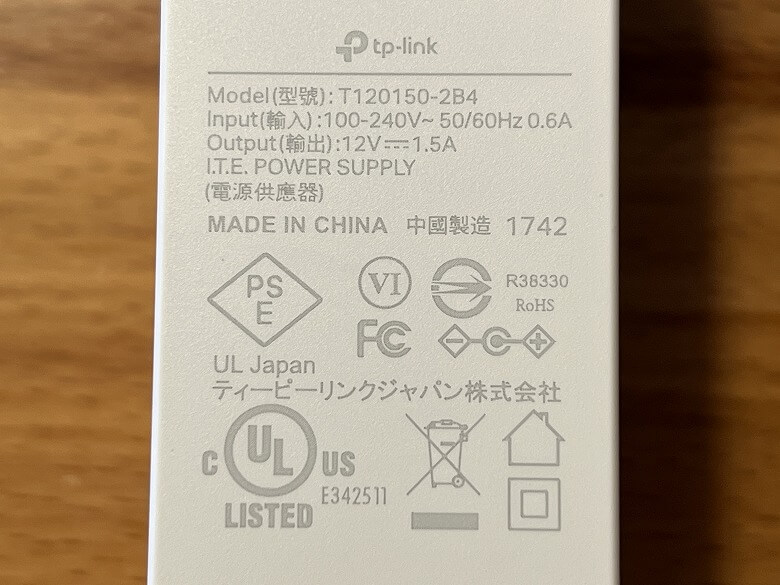
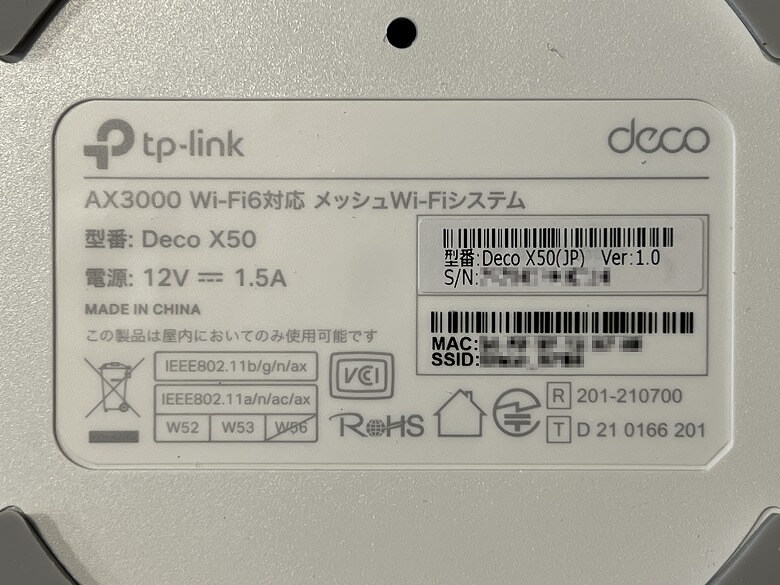
The power adapter has its specifications listed on it.
Listed Specifications
Model:T120150-2B4
Input:100-240V~ 50/60Hz 0.6A
Output:12V 1.5A
Since it bears the PSE mark, you can use it with confidence.
What Is the PSE Mark?
The Electrical Appliance and Material Safety Law is a regulation enacted to protect consumers from fires, electric shocks, and other hazards caused by electrical products. It applies to almost all consumer electrical appliances used in Japan that connect to a 100V outlet.
Under this law, manufacturers and importers are required to affix the PSE mark to compliant products so that consumers can easily identify them.
Deco X50 Specifications
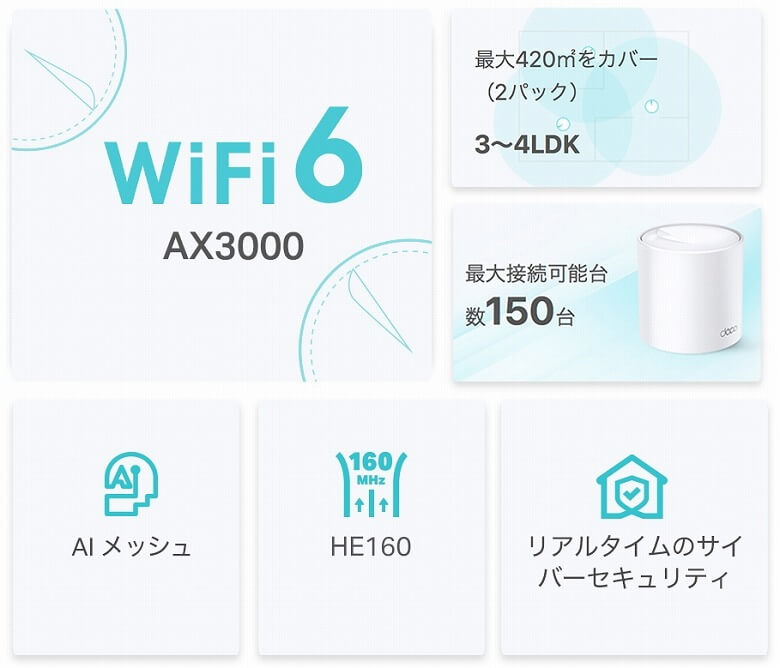
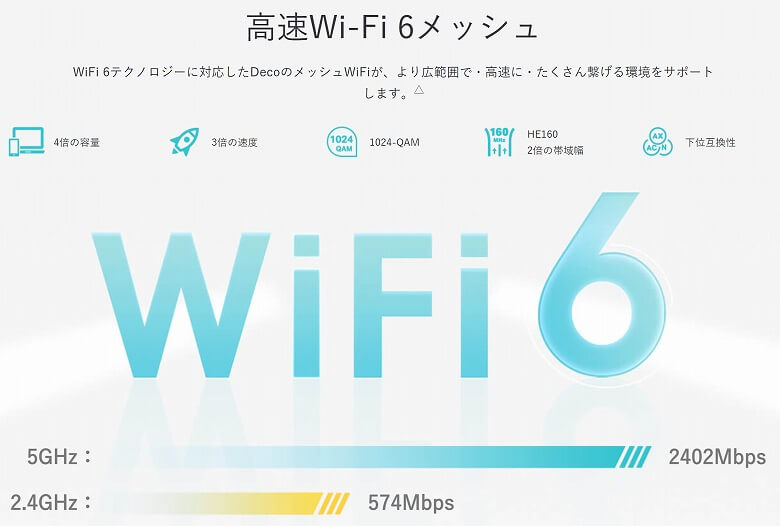
The “Deco X50” from TP-Link supports dual-band connectivity and is a Wi-Fi 6 router equipped with a mesh Wi-Fi system.
The main features are the following six.
Deco X50 Features
Supports WiFi 6
Covers up to 420㎡ (2-pack)
Supports up to 150 connected devices
AI Mesh
HE160
Real-time cybersecurity
The main unit specifications are as follows.
スクロールできます
Product Name
Deco X50
Dimensions
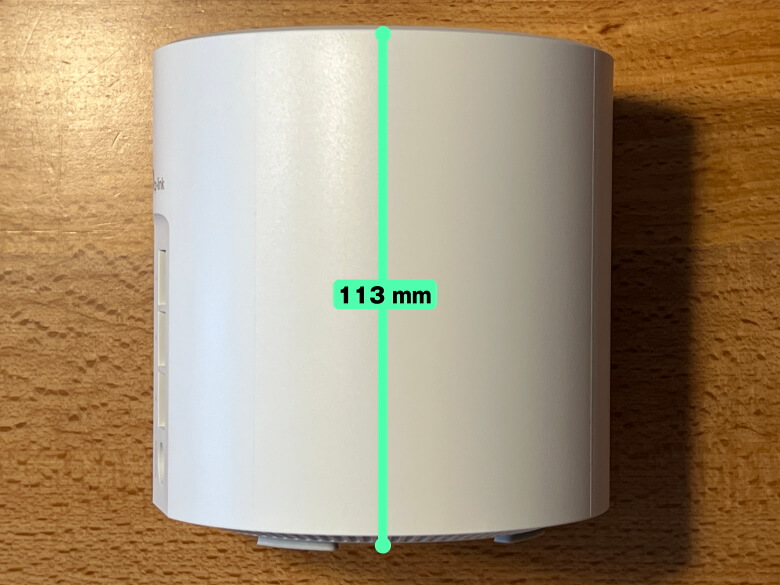
Diameter 110 mm, Height 113 mm ※Actual measurement
TP-Link Mesh Technology AI Mesh Built-in antennas ×2 Beamforming
Wi-Fi Performance
Dual-band 2×2 MU-MIMO OFDMA 4 streams
Operating Modes
Router Mode Bridge Mode
Processor
1GHz Dual-Core CPU
Wired Ports
Gigabit ports ×3 *Each Deco unit (WAN/LAN auto-sensing)
Wi-Fi Encryption
WPA-Personal WPA2-Personal WPA3-Personal
Network Security
SPI Firewall Access Control HomeShield Security
Guest Network
5 GHz Guest Network ×1 2.4 GHz Guest Network ×1
Parental Controls
Create profiles Professional content filter library Family Time Bedtime Off Time Time limits Family online time ranking Pause the Internet Weekly and monthly reports
WAN Type
Dynamic IP Static IP PPPoE PPTP L2TP
QoS
QoS by device
Cloud Services
OTA firmware upgrade TP-Link ID DDNS
NAT Forwarding
Port Forwarding UPnP
IPTV
IGMP Proxy IGMP Snooping Bridge Tag VLAN
DHCP
Address Reservation DHCP Client List Server
Design
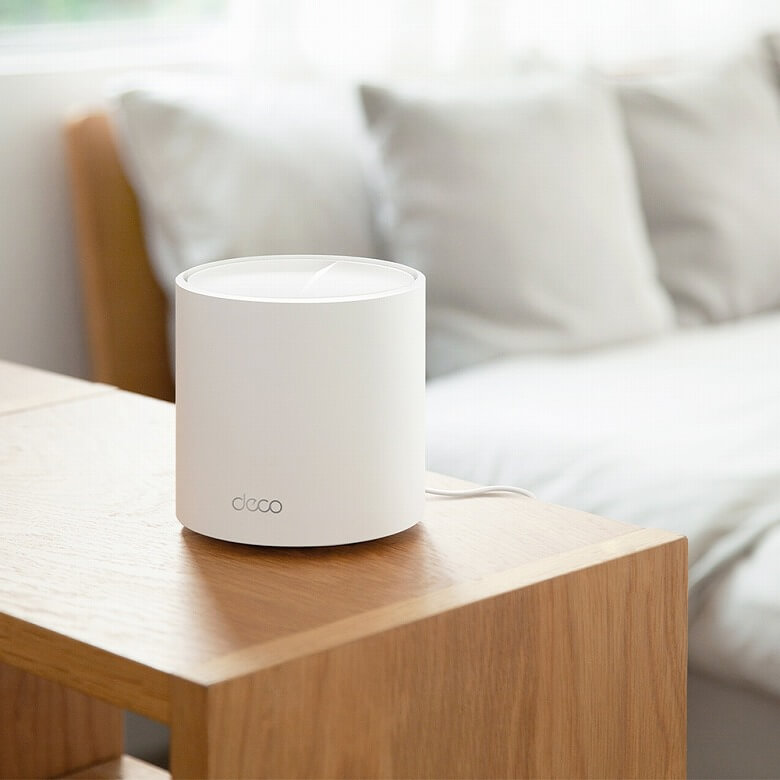
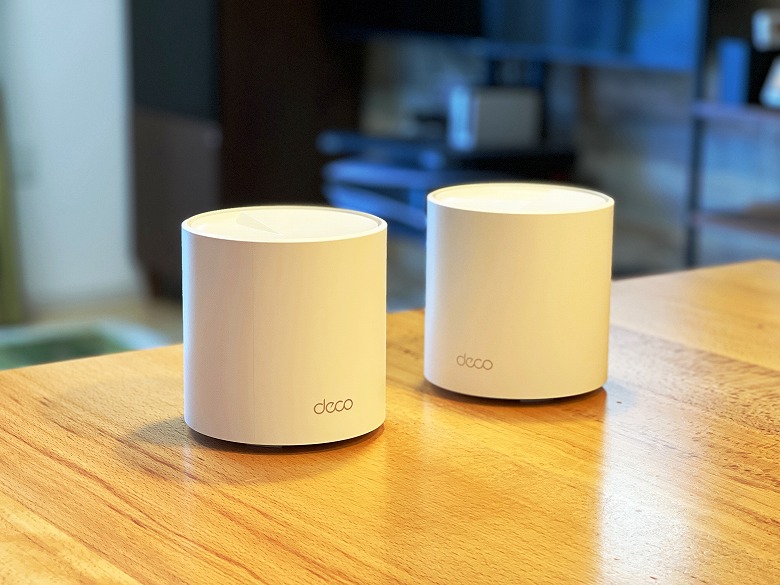
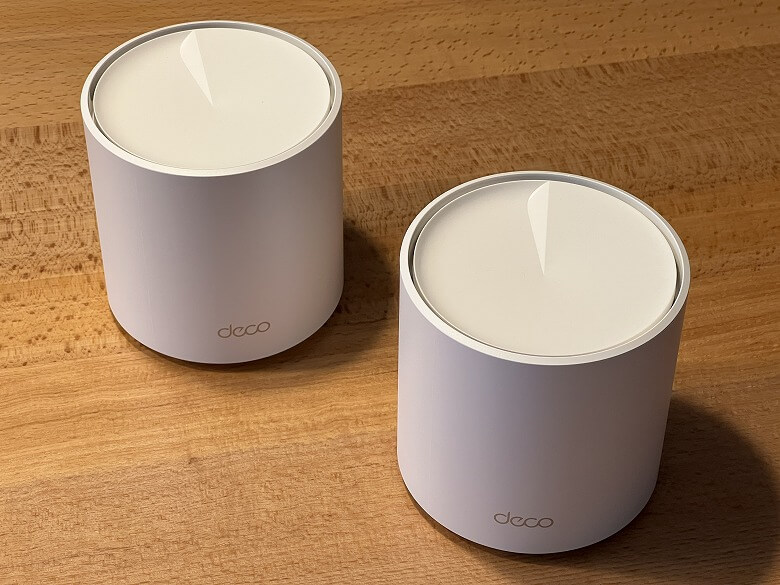
The “Deco X50” features an all-white exterior with no unnecessary decorations, showcasing a simple cylindrical design.
There is an LED indicator on the front side of the bottom.
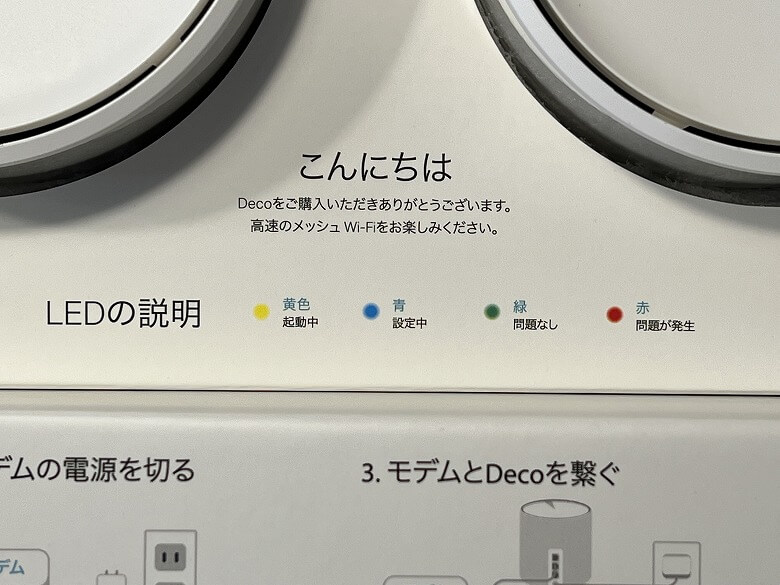
The meaning of each LED color is described on the outer box.
Meaning of LED Colors
Yellow: Booting up
Blue: Setting up
Green: No issues
Red: An issue has occurred
Itsuki
Once setup is complete and the internet connection is working properly, it basically stays lit in green at all times.
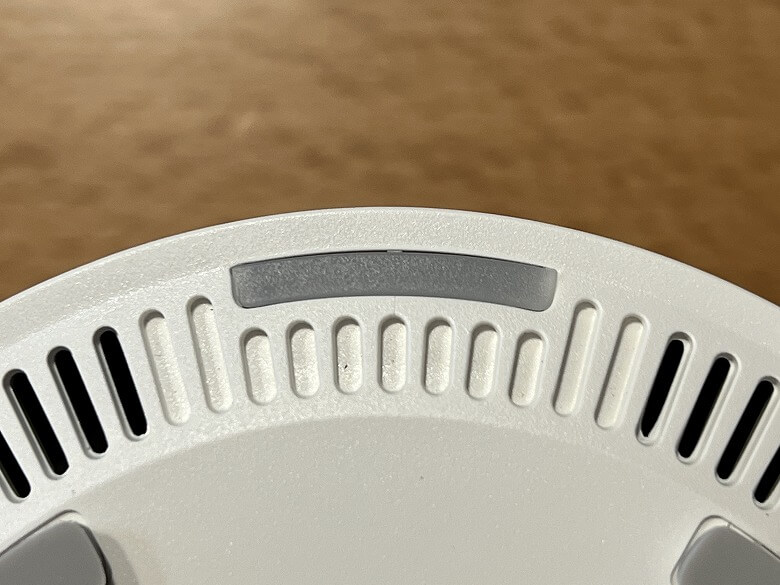
The bottom looks like this, with ventilation openings running along the circumference.
In the center, you’ll find the SSID and basic product specifications listed, with a RESET button located above them.
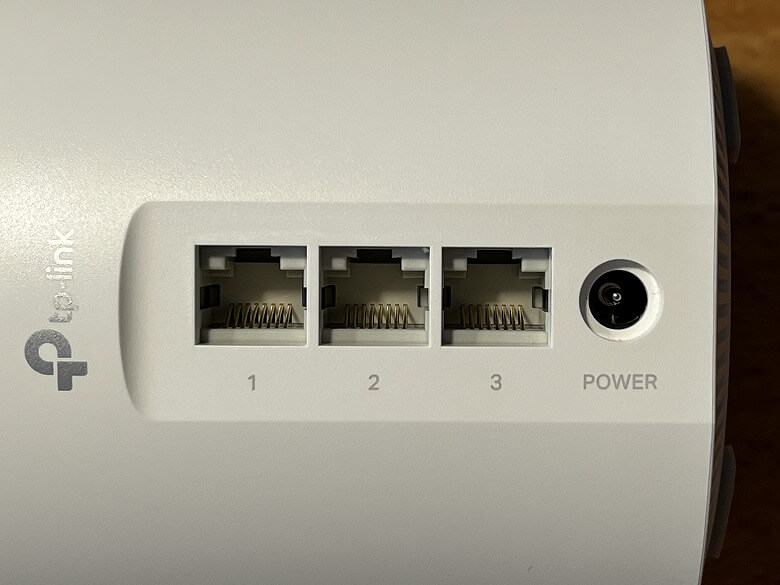
On the back, there are three WAN/LAN ports and a power port.
Size and Weight
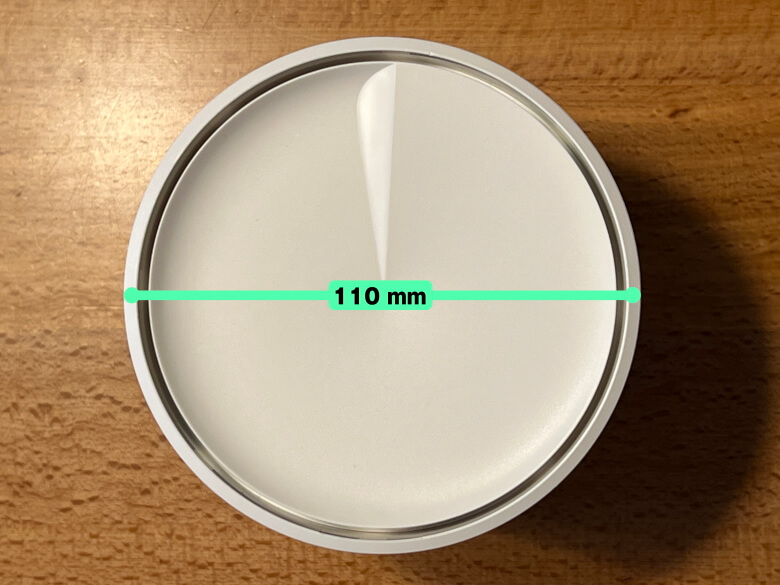
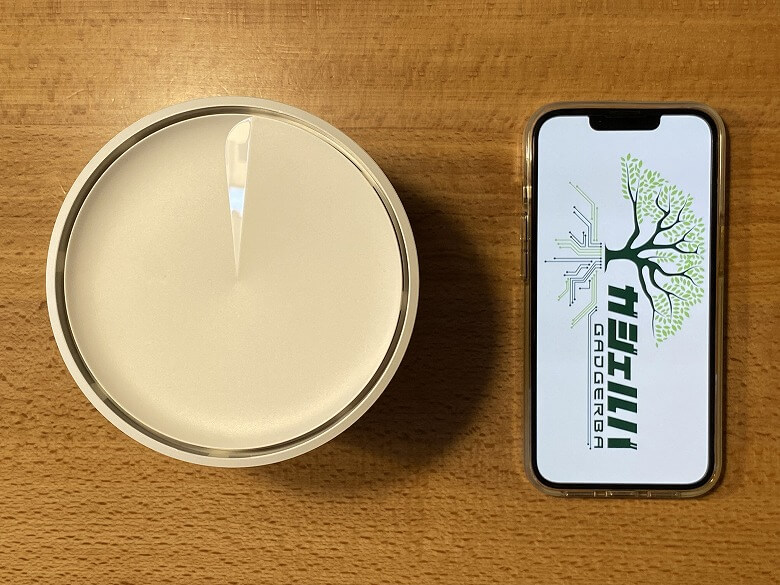
The “Deco X50” has a diameter of 110 mm.
The height is 113 mm.
Itsuki
The dimensions are actual measurements.
Here’s how it compares in size to a smartphone (iPhone 13 Pro).
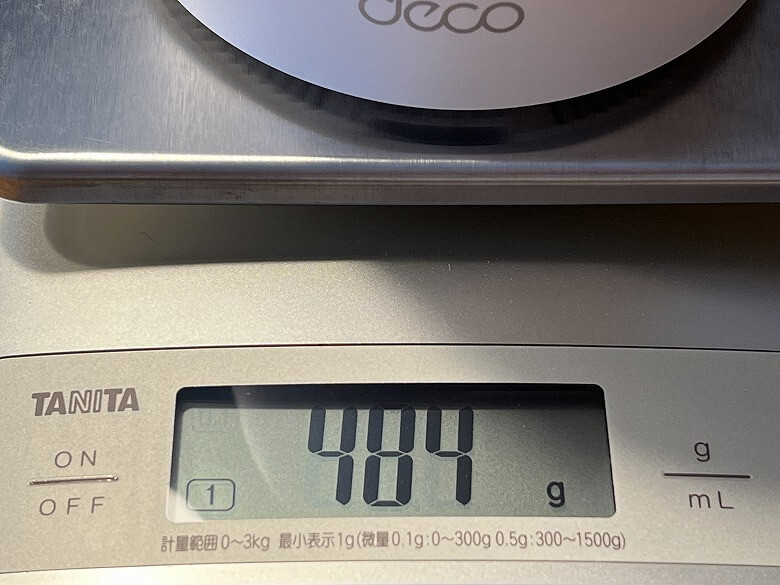
The weight came in at 484 g.
Features
The “Deco X50” is a Wi-Fi 6 mesh router designed to deliver wider coverage, higher speeds, and stable connections for multiple devices at once.
By combining BSS Color and beamforming, it enables seamless Wi-Fi across a broader area.
MEMO
Beamforming is a technology that concentrates wireless signals toward a specific direction.
Itsuki
If you want to expand coverage even further, simply add another “Deco X50” unit.
The continuously learning and optimizing AI Mesh system delivers a mesh Wi-Fi setup tailored to each home.
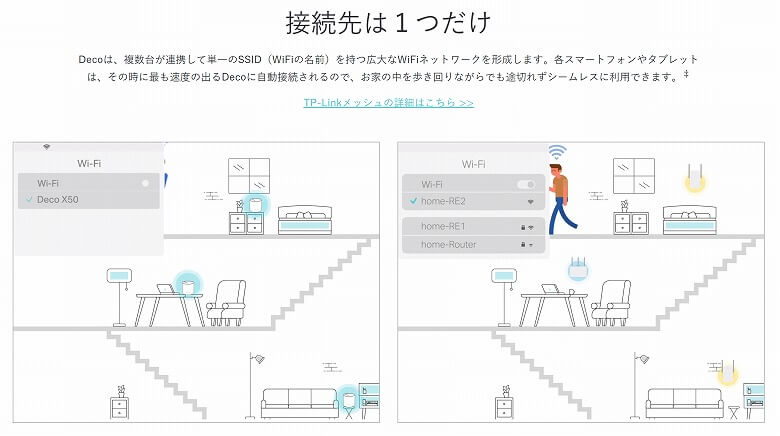
Multiple “Deco X50” units work together to create a large, unified Wi-Fi network. Within that network, each device (such as smartphones and tablets) automatically connects to the fastest available unit.
Itsuki
Because everything runs under a single SSID, there’s no need to manually switch networks.
It supports up to an impressive 150 devices, ensuring smooth performance even in busy environments.
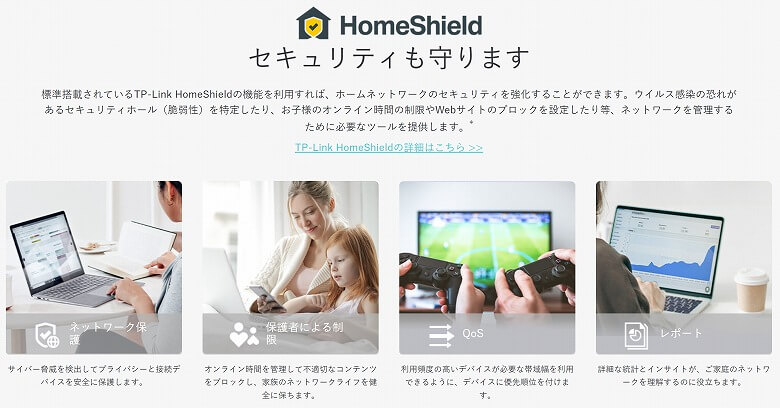
With built-in TP-Link HomeShield, you can enhance the security of your home network.
You can conveniently set up and manage the router using the dedicated TP-Link Deco app.
In addition, the “Deco X50” includes a variety of features designed to make Wi-Fi usage simple and intuitive.
Itsuki
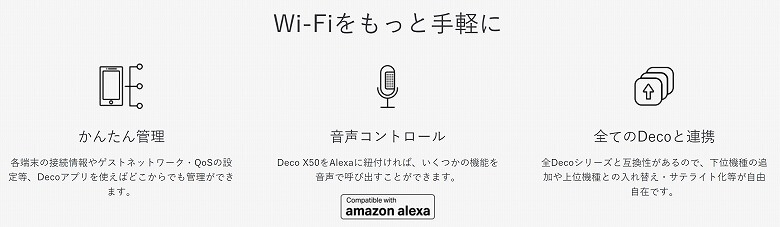
It also works with Alexa, making it convenient to manage through a smart speaker.
Its minimal design blends easily with any interior.
The Dedicated App for Deco X50: “TP-Link Deco”
To get the most out of the “Deco X50,” you can use the convenient TP-Link Deco app.
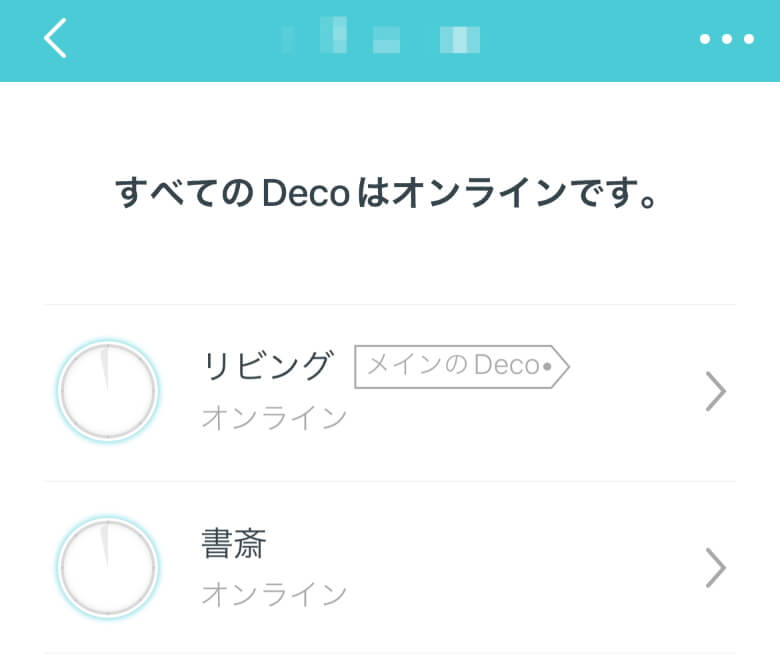
A list of connected “Deco X50” units is displayed.
You can check information such as the name, firmware version, and connected clients (devices) of the “Deco X50”.
Itsuki
You can also change the router name here.
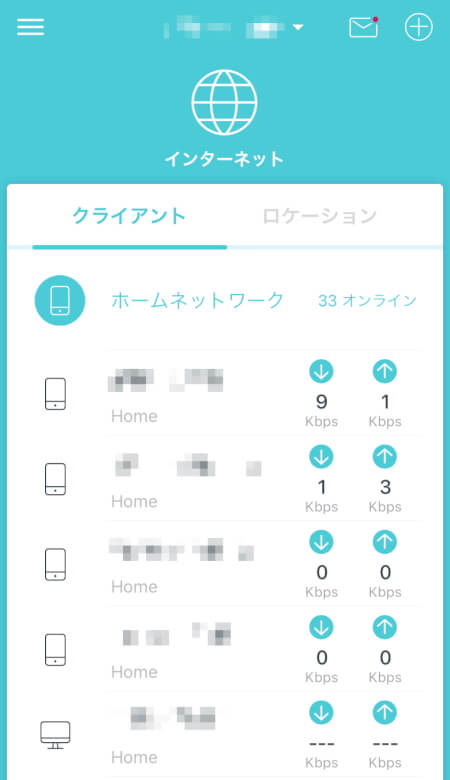
You can view the connected clients (devices).
Itsuki
If an unfamiliar device is connected, you can immediately tell that something suspicious is going on.
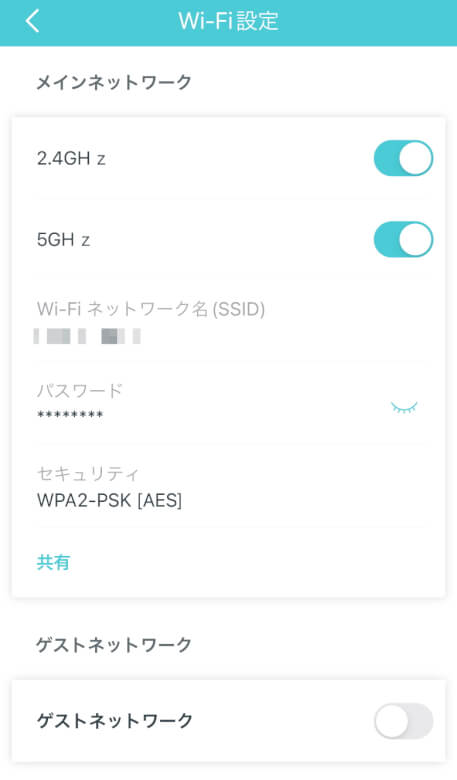
You can change the 2.4GHz and 5GHz network names and passwords, as well as turn the guest network on or off.
In “HomeShield,” you can use various features to manage your network.
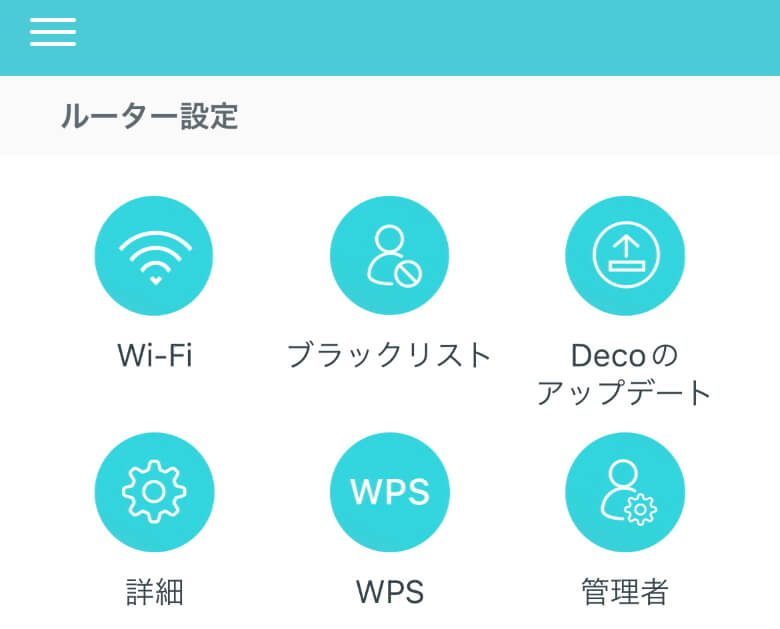
In “Router Settings,” you can access various other settings and tools.
Router Settings Items
Wi-Fi
Blacklist
Deco Update
Advanced
WPS
Administrator
Deco X50 Speed Test
When choosing a router, the most important concern is communication speed, right?
I measured the actual speeds you can get with the “Deco X50”.
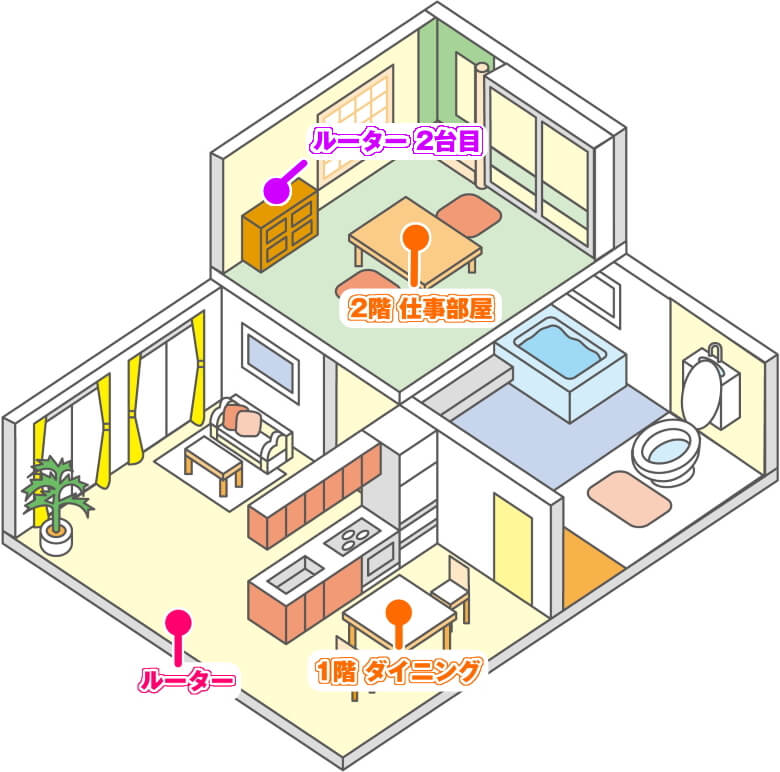
Two-story wooden house, 4LDK
The above illustration is borrowed and does not match the actual layout of my home, but it is used here for reference.
First, the “router (Deco X50)” is installed roughly in the middle between the dining and living areas on the first floor.
The other “router (Deco X50)” is installed in the office room on the second floor.
I measured speeds at two locations.
The “1st-floor dining area” close to the router, and the “2nd-floor office” that I mainly use as my workspace.
The layout is a two-story wooden house with 4LDK.
Itsuki
For reference, the internet service is “OCN Hikari Family Type (Detached House).”
Please note that this is the result of a single test conducted in a typical household, and results may vary significantly depending on the environment and other conditions.
For this test, I used “Deco X20” and “Deco X60” from the same TP-Link series as comparison models.
Measurement by PC in the 1st-Floor Dining Area
Deco X50 (Single Unit)Deco X50 (Two Units Installed)Deco X20 (Single Unit)Deco X20 (Two Units Installed)Deco X60 (Single Unit)Deco X60 (Two Units Installed)
Results…
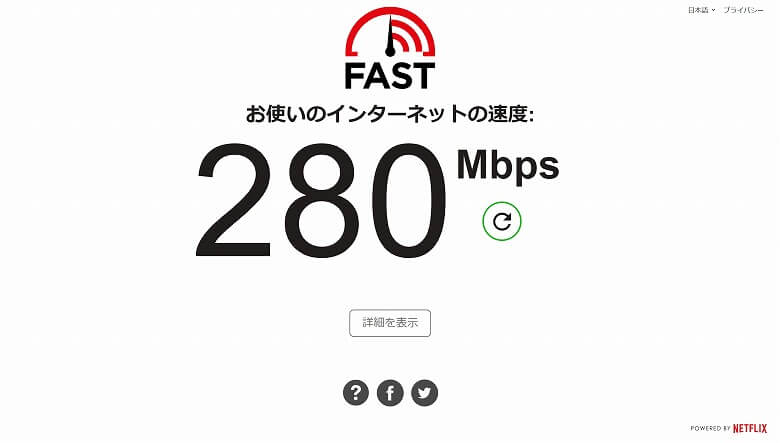
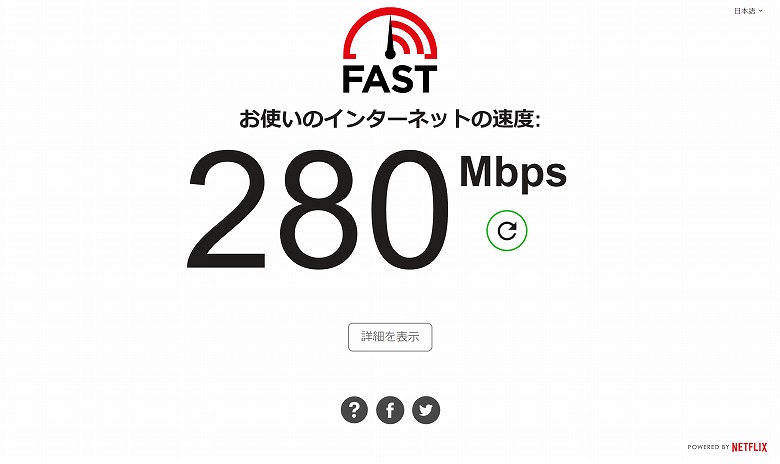
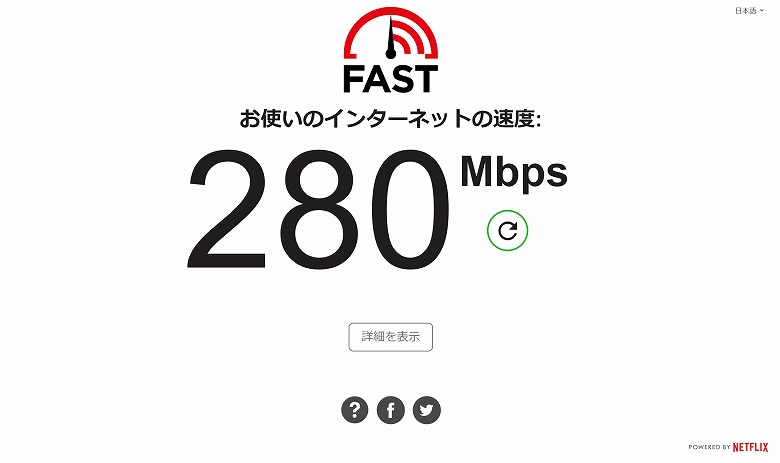
Deco X50 (Single Unit): 280 Mbps
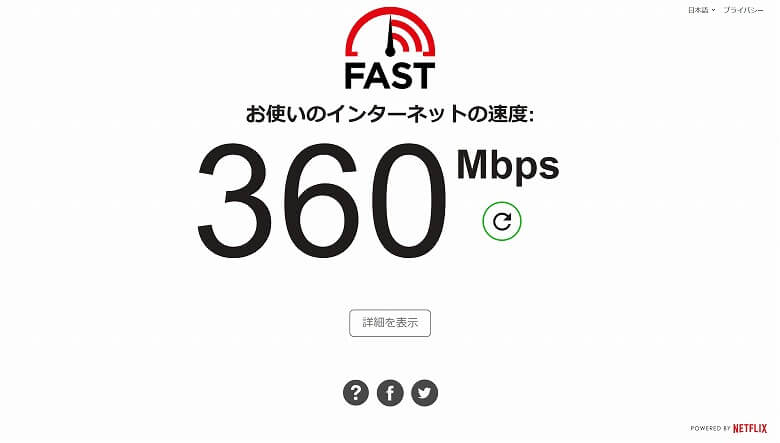
Deco X50 (Two Units Installed): 360 Mbps
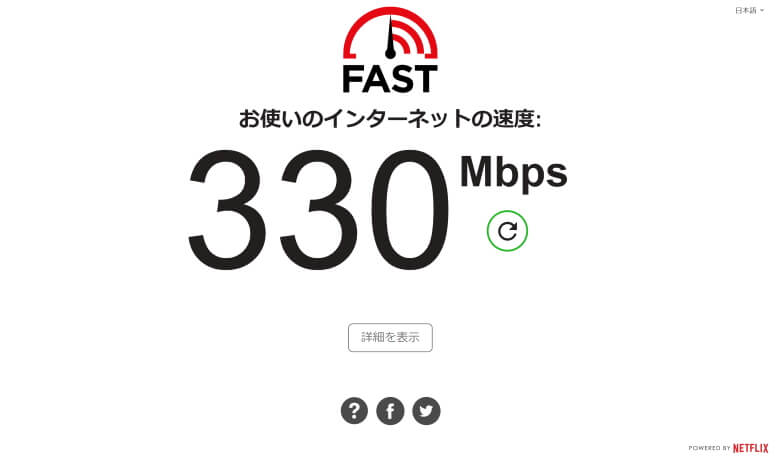
Deco X20 (Single Unit): 330 Mbps
Deco X20 (Two Units Installed): 310 Mbps
Deco X60 (Single Unit): 280 Mbps
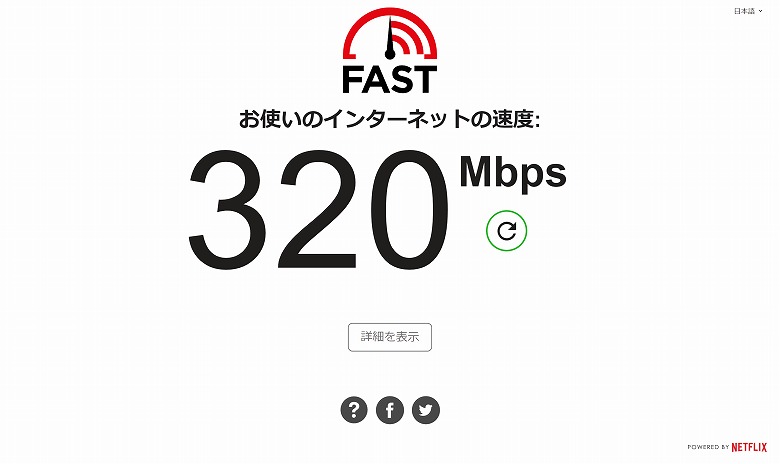
Deco X60 (Two Units Installed): 320 Mbps
Measurement by Smartphone (iPhone 13 Pro) in the 1st-Floor Dining Area
Deco X50 (Single Unit)Deco X50 (Two Units Installed)Deco X20 (Single Unit)Deco X20 (Two Units Installed)Deco X60 (Single Unit)Deco X60 (Two Units Installed)
Results…
Deco X50 (Single Unit): 139 Mbps
Deco X50 (Two Units Installed): 168 Mbps
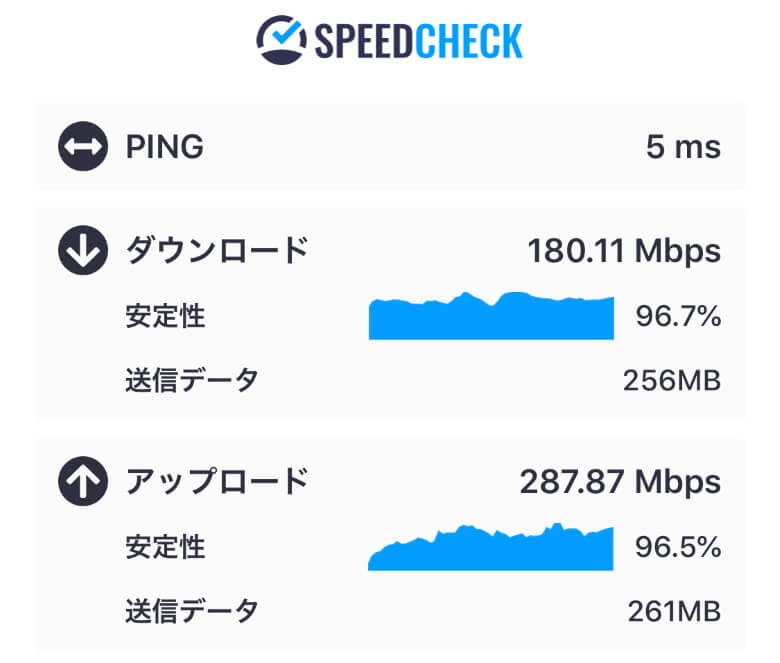
Deco X20 (Single Unit): 180 Mbps
Deco X20 (Two Units Installed): 183 Mbps
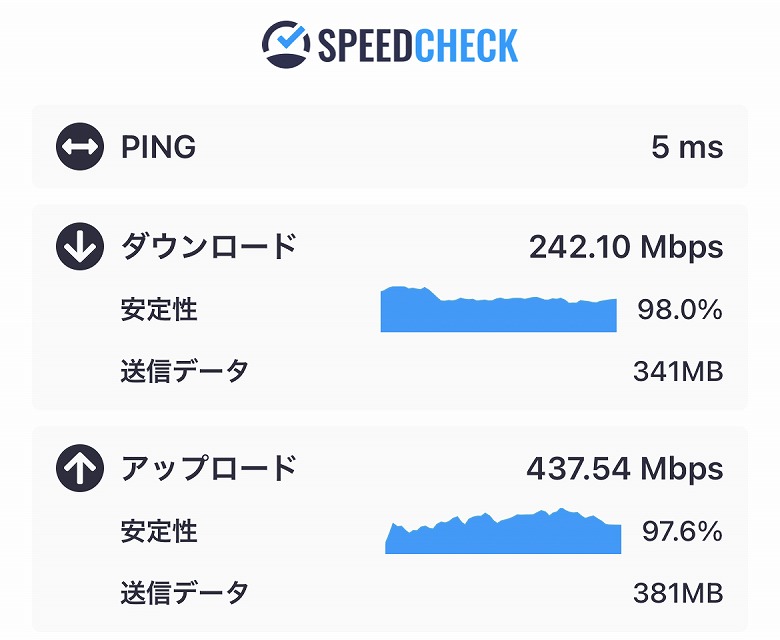
Deco X60 (Single Unit): 242 Mbps
Deco X60 (Two Units Installed): 130 Mbps
Measurement by PC in the 2nd-Floor Office
Deco X50 (Single Unit)Deco X50 (Two Units Installed)Deco X20 (Single Unit)Deco X20 (Two Units Installed)Deco X60 (Single Unit)Deco X60 (Two Units Installed)
Results…
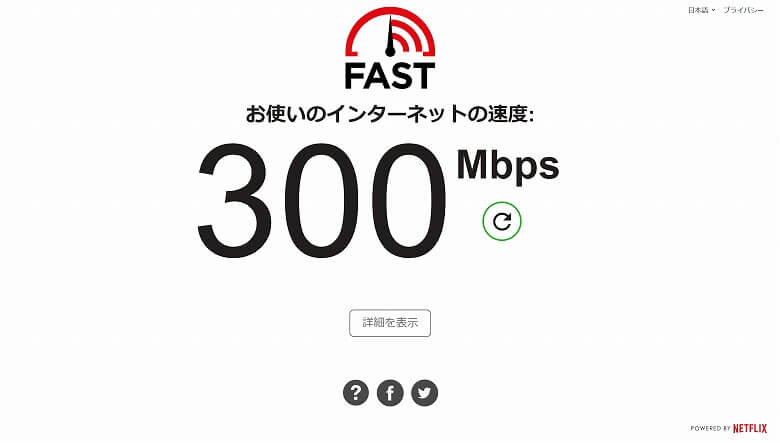
Deco X50 (Single Unit): 300 Mbps
Deco X50 (Two Units Installed): 460 Mbps
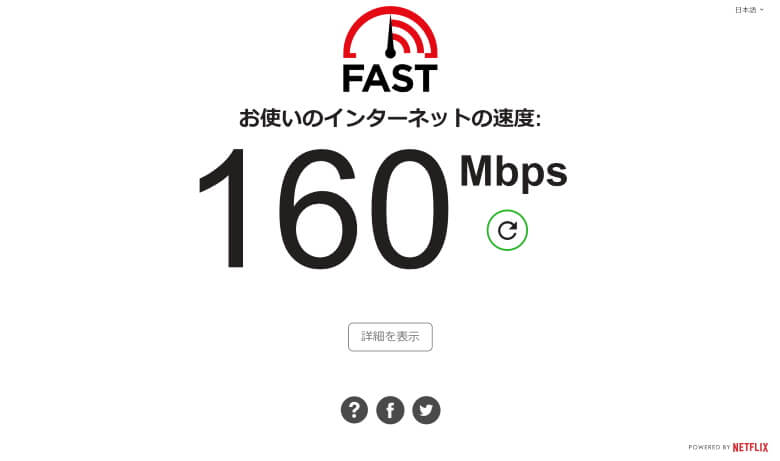
Deco X20 (Single Unit): 160 Mbps
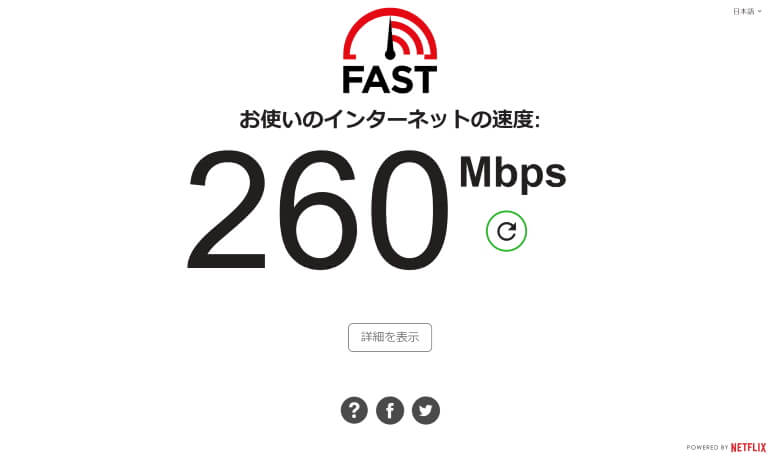
Deco X20 (Two Units Installed): 260 Mbps
Deco X60 (Single Unit): 420 Mbps
Deco X60 (Two Units Installed): 280 Mbps
Measurement by Smartphone (iPhone 13 Pro) in the 2nd-Floor Office
Deco X50 (Single Unit)Deco X50 (Two Units Installed)Deco X20 (Single Unit)Deco X20 (Two Units Installed)Deco X60 (Single Unit)Deco X60 (Two Units Installed)
Results…
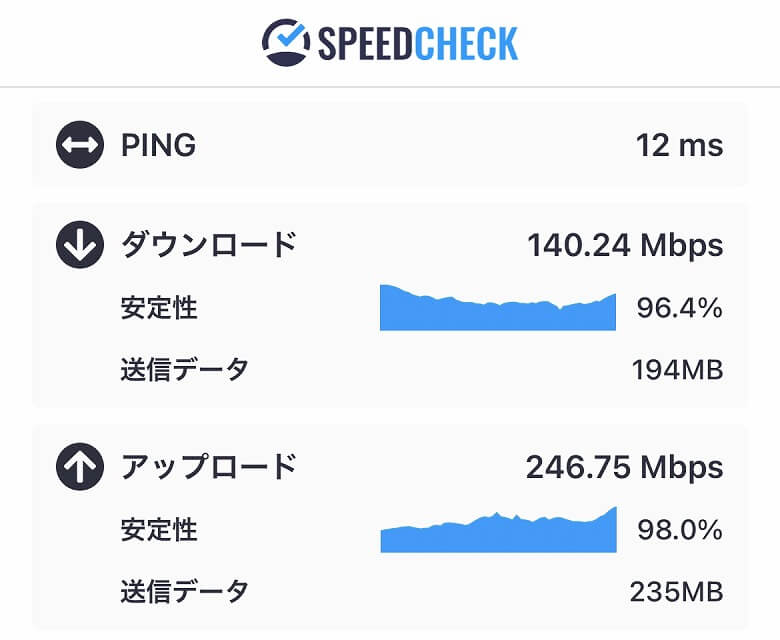
Deco X50 (Single Unit): 140 Mbps
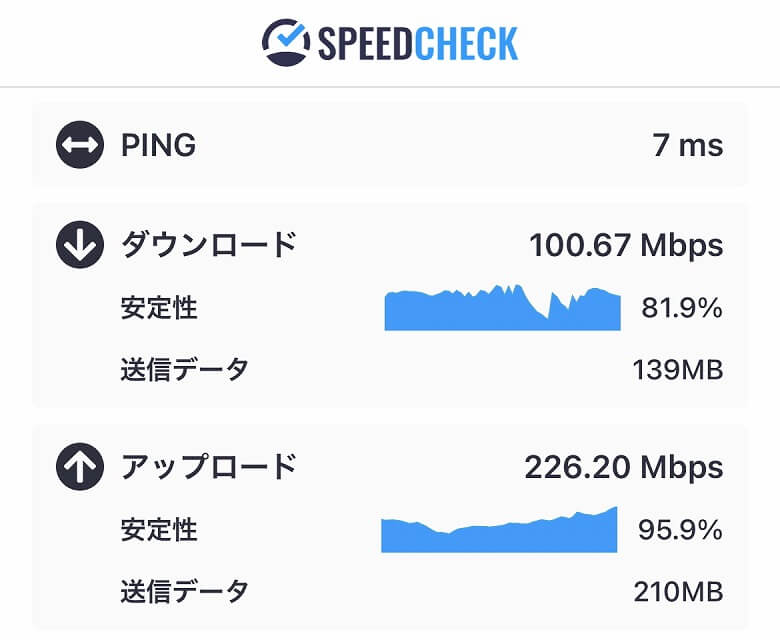
Deco X50 (Two Units Installed): 100 Mbps
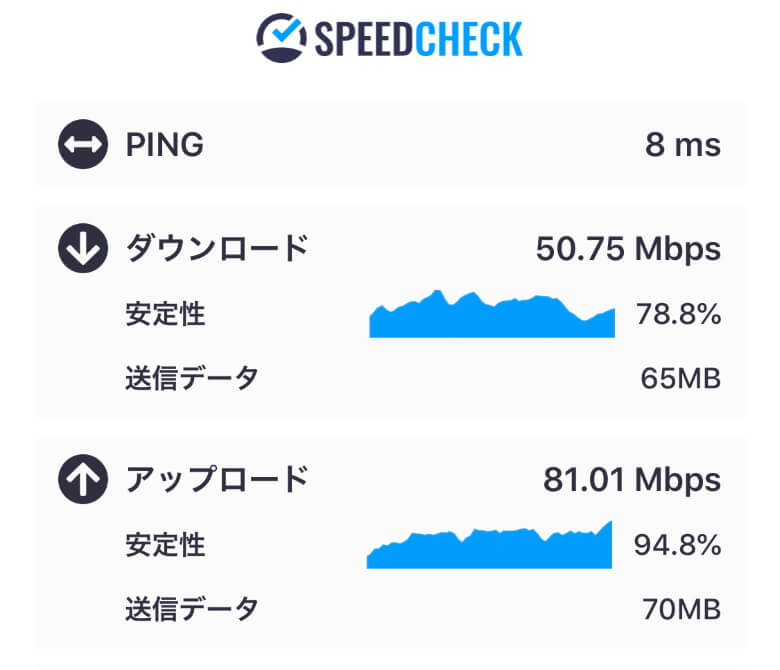
Deco X20 (Single Unit): 49 Mbps
Deco X20 (Two Units Installed): 50 Mbps
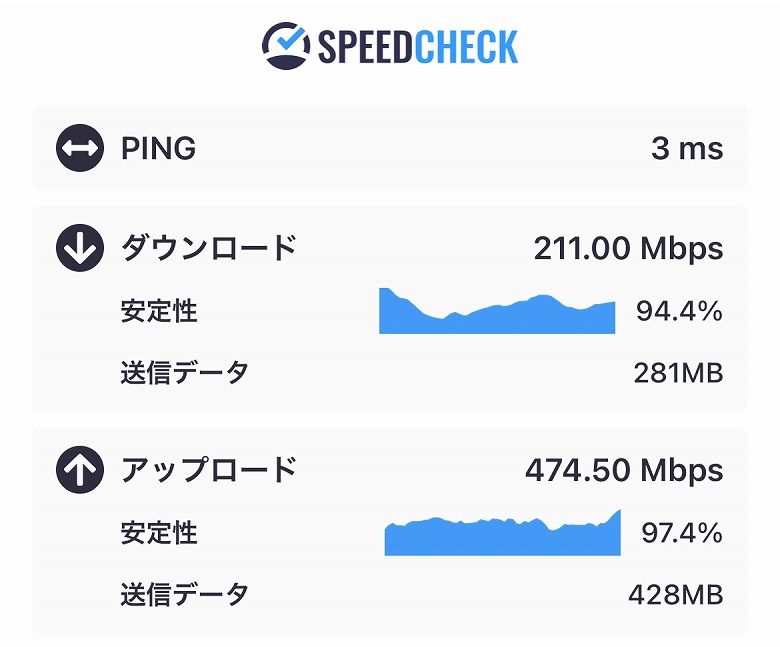
Deco X60 (Single Unit): 211 Mbps
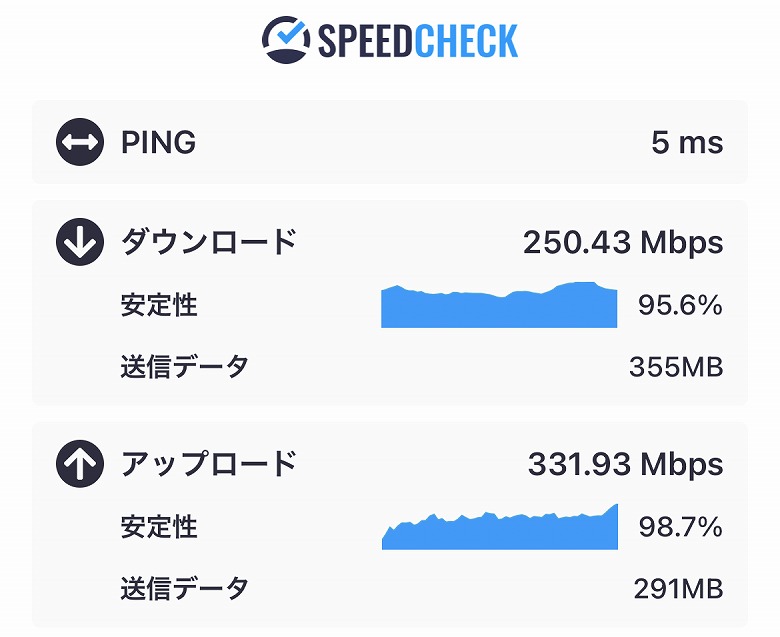
Deco X60 (Two Units Installed): 250 Mbps
Summary of Measurement Results Under Each Condition
And with that, the measurement results under each condition are now complete.
Itsuki
Below, I’ve arranged the PC and smartphone speeds in descending order. Personally, I find the results to be quite intriguing.
Summary of PC Measurement Results
Speed ranking on PC (fastest first)
2nd-Floor Office Deco X50 (Two Units Installed): 460 Mbps
2nd-Floor Office Deco X60 (Single Unit): 420 Mbps
1st-Floor Dining Area Deco X50 (Two Units Installed): 360 Mbps
1st-Floor Dining Area Deco X20 (Single Unit): 330 Mbps
1st-Floor Dining Area Deco X60 (Two Units Installed): 320 Mbps
1st-Floor Dining Area Deco X20 (Two Units Installed): 310 Mbps
2nd-Floor Office Deco X50 (Single Unit): 300 Mbps
1st-Floor Dining Area Deco X50 (Single Unit): 280 Mbps
1st-Floor Dining Area Deco X60 (Single Unit): 280 Mbps
2nd-Floor Office Deco X60 (Two Units Installed): 280 Mbps
2nd-Floor Office Deco X20 (Two Units Installed): 260 Mbps
2nd-Floor Office Deco X20 (Single Unit): 160 Mbps
Summary of Smartphone Measurement Results
Speed ranking on smartphone (iPhone 13 Pro, fastest first)
2nd-Floor Office Deco X60 (Two Units Installed): 250 Mbps
1st-Floor Dining Area Deco X60 (Single Unit): 242 Mbps
2nd-Floor Office Deco X60 (Single Unit): 211 Mbps
1st-Floor Dining Area Deco X20 (Two Units Installed): 183 Mbps
1st-Floor Dining Area Deco X20 (Single Unit): 180 Mbps
1st-Floor Dining Area Deco X50 (Two Units Installed): 168 Mbps
2nd-Floor Office Deco X50 (Single Unit): 140 Mbps
1st-Floor Dining Area Deco X50 (Single Unit): 139 Mbps
1st-Floor Dining Area Deco X60 (Two Units Installed): 130 Mbps
2nd-Floor Office Deco X50 (Two Units Installed): 100 Mbps
2nd-Floor Office Deco X20 (Two Units Installed): 50 Mbps
2nd-Floor Office Deco X20 (Single Unit): 49 Mbps
First, looking at the PC results, although there is some variation, we were able to achieve stable speeds of around 300 Mbps in nearly every room.
In particular, the “Deco X50” demonstrated overwhelming speeds of 360–460 Mbps when two units were installed.
Next, for the smartphone results, you can see that overall the “Deco X60” tends to be faster.
Of course, this does not mean the “Deco X50” is slow. It consistently delivers an average of over 100 Mbps, so there were absolutely no issues when watching videos or playing games.
Itsuki
This verification clearly demonstrates the strength of mesh WiFi that provides stable connections and speeds anywhere.
Comparison of Deco X50 with X20 / X60
Within the same series from TP-Link, there are also the “Deco X20” and “Deco X60” models.
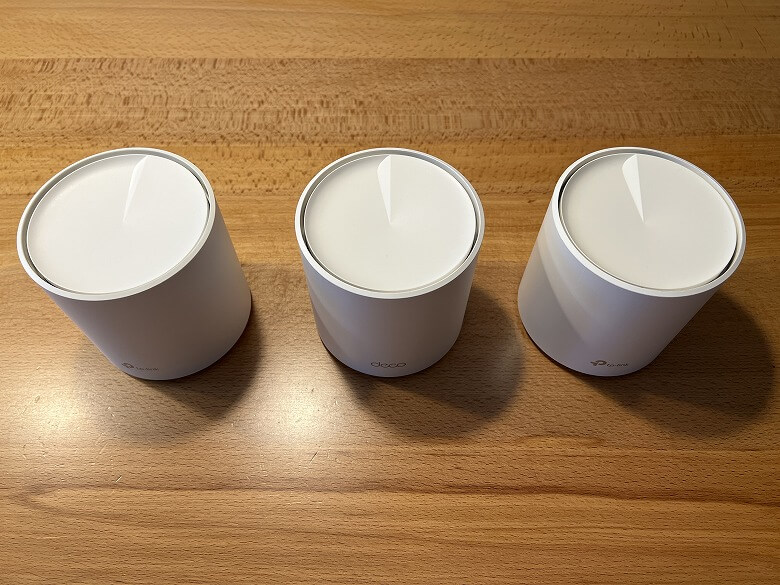
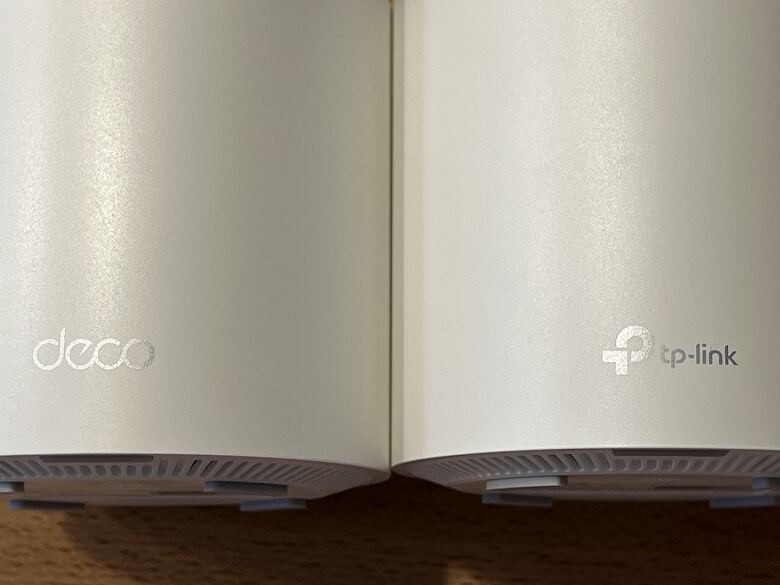
From left: Deco X20, X50, X60
Itsuki
They were also included as comparison models in the speed tests above.
Both the diameter and height are unified across the models.
On the lower front, the “Deco X50” features the “deco” logo, while the “Deco X20” and “Deco X60” display the “tp-link” logo.
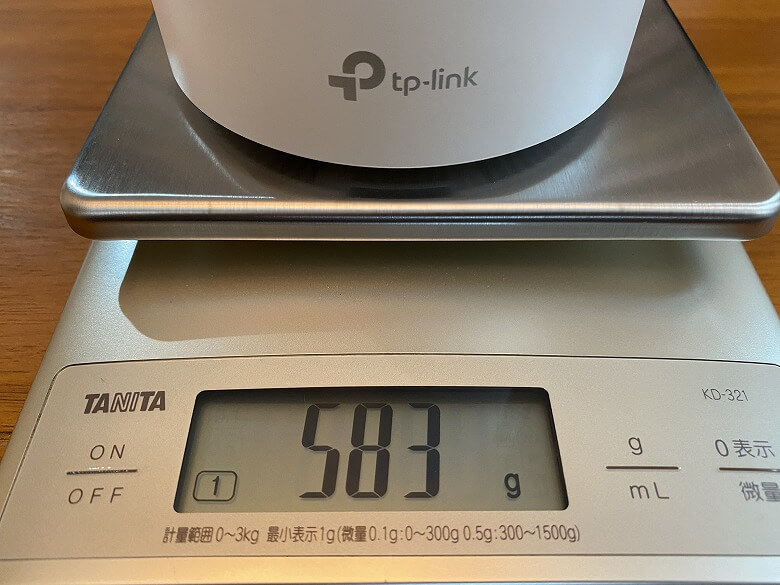
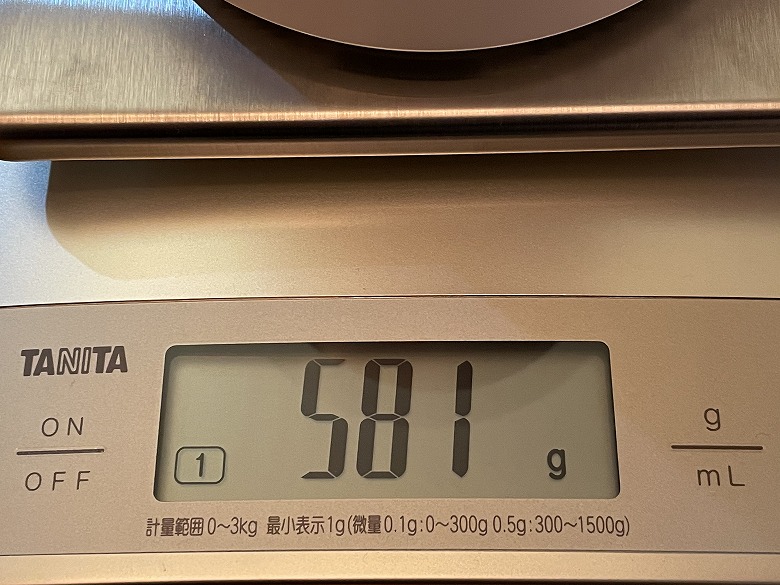
There is actually a significant difference in weight. The “Deco X20” and “Deco X60” differed by only about 2 g, but the “Deco X50” is around 100 g lighter than those two.
Deco X50Deco X20Deco X60
Itsuki
When you hold it in your hand, it’s light enough to make you go, “Wait, what!?”—it really surprised me.
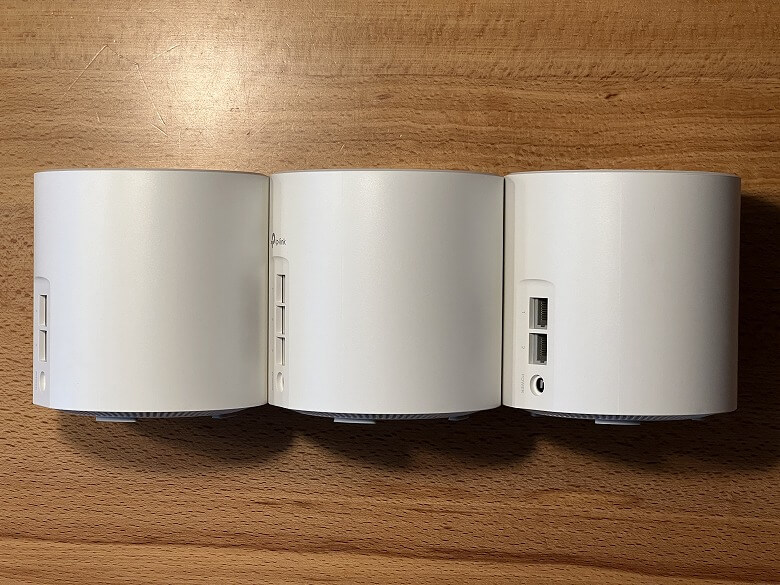
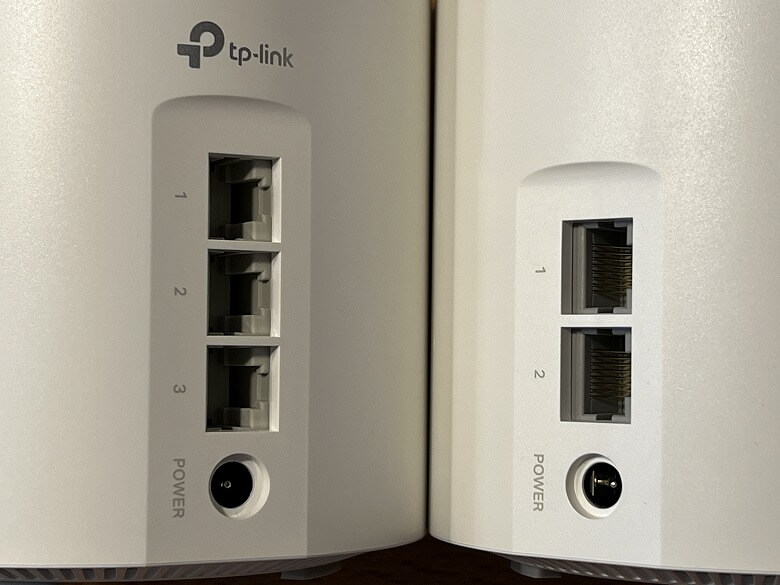
Another major hardware difference is the number of WAN/LAN ports.
Itsuki
The “Deco X50” has 3 ports, while the “Deco X20” and “Deco X60” each have 2 ports.
I’ve summarized the key differences between them in the table below.
スクロールできます
Deco X50
Deco X20
Deco X60
Price (2-pack)
24,800 yen
20,800 yen
30,800 yen
Weight
484 g
583 g
581 g
Wi-Fi Speed
5 GHz: 2402 Mbps
5 GHz: 1201 Mbps
5 GHz: 2402 Mbps
Wi-Fi Performance
4 streams
4 streams
6 streams
Processor
1 GHz dual-core CPU
1 GHz quad-core CPU
V1: 1 GHz quad-core CPU V3: 1 GHz dual-core CPU
Power
12 V ⎓ 1.5 A
12 V ⎓ 1.2 A
12 V ⎓ 2 A
Wired Ports
Gigabit ports × 3
Gigabit ports × 2
Gigabit ports × 2
MEMO
Please note that the price may vary slightly depending on the timing.
As you can see from the table, the “Deco X50” is, as its name suggests, a model positioned right between the X20 and X60.
Like the “Deco X20,” it is reasonably priced at under 30,000 yen.
At the same time, its Wi-Fi speed delivers performance equivalent to the “Deco X60.”
And once again, what truly deserves special mention is the number of wired ports.
In previous Deco series models, the pursuit of a simple and compact design came at the cost of a weakness: having only two wired ports, which is quite limited compared to other routers.
With the “Deco X50” increasing the number to three, it has become easier to connect multiple devices via wired LAN without the need to prepare a separate hub.
Itsuki
In our home, the ports were already occupied by a NAS connected via wired LAN, but after introducing the “Deco X50,” we were able to add one more device.
Deco X50 Review Summary
In this article, I wrote about “【Deco X50 Review】It Hits the Sweet Spot! A Mesh Wi-Fi 6 Router with Mid-Range Specs Between the X20 and X60 and Now Three LAN Ports.”
Priced in the mid-20,000-yen range for a 2-pack, this product is affordable and offers excellent cost performance compared to its specifications.
If you are looking to build a mesh Wi-Fi environment at home or are unsure which TP-Link Deco series model to choose, why not check out the well-balanced “Deco X50”?




 Itsuki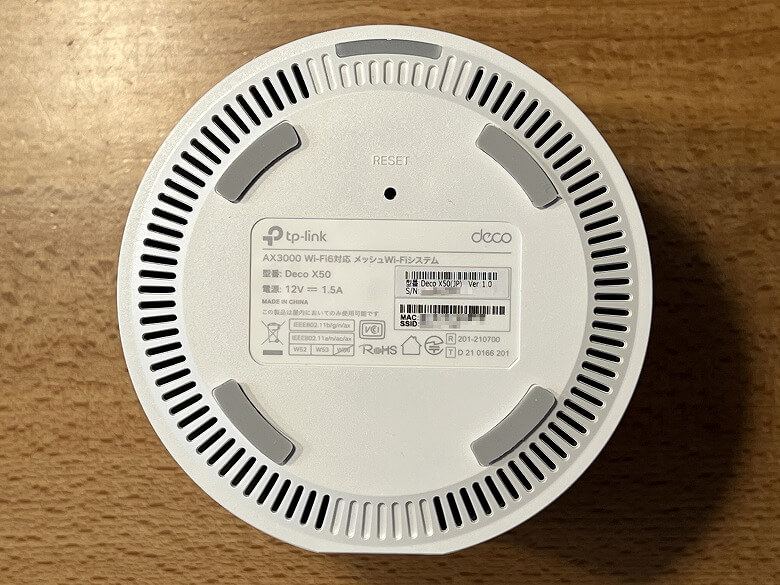

 Itsuki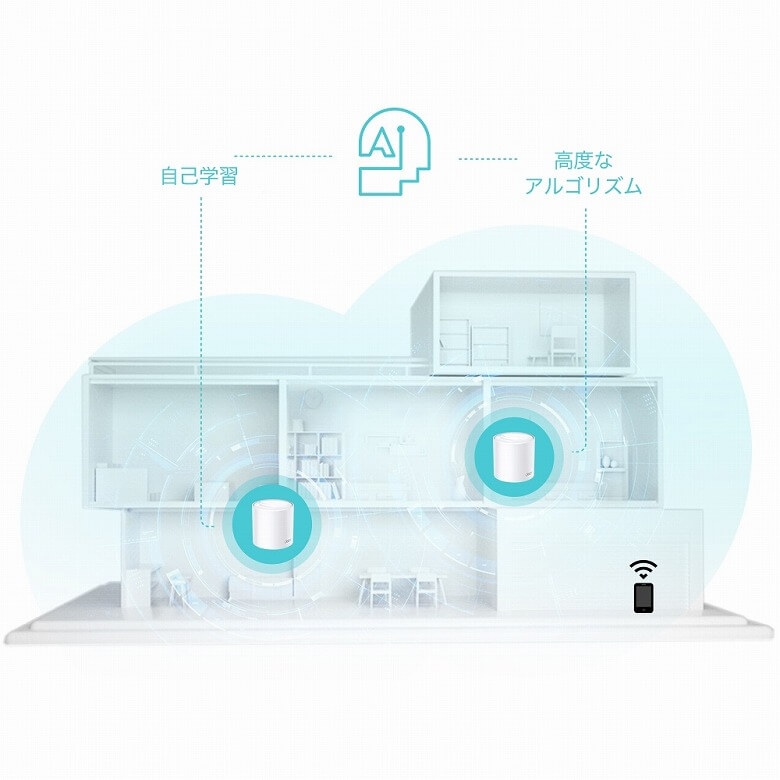
 Itsuki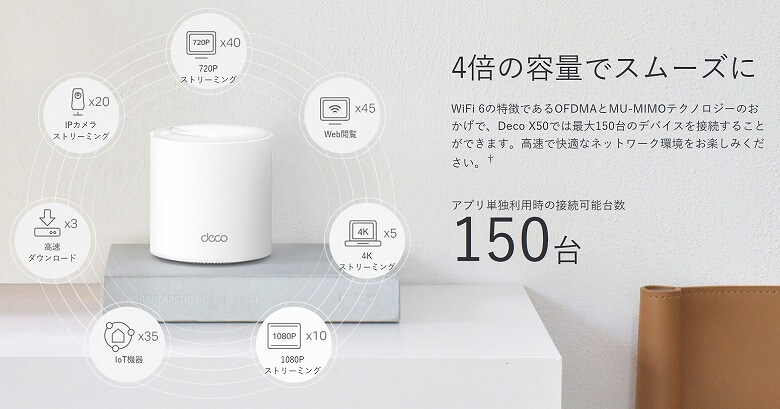
 Itsuki